

Use Add account to sign in with a second identity and switch without logging out.
Sections
Profile
Basic identity and contact information.- Profile — name, avatar.
- Email addresses — primary + additional addresses.
- Connected accounts — OAuth identities (e.g., Google) used to sign in.
- Update profile — apply changes.
Security
Review and control access.- Signed-in devices / sessions — see where you’re logged in.
- Revoke access — instantly sign out a lost/stolen device.
Periodically revoke stale sessions—especially after device changes.
Profile Outline
A structured profile generated from your Read.ai integration that is used to augment LLM responses (e.g., role, domains, preferences drawn from meeting/context data).What is Profile Outline?
Think of it as a signal booster for AI: concise facts about what you are working on that help Ephor answer in your context without oversharing.
API & Integrations
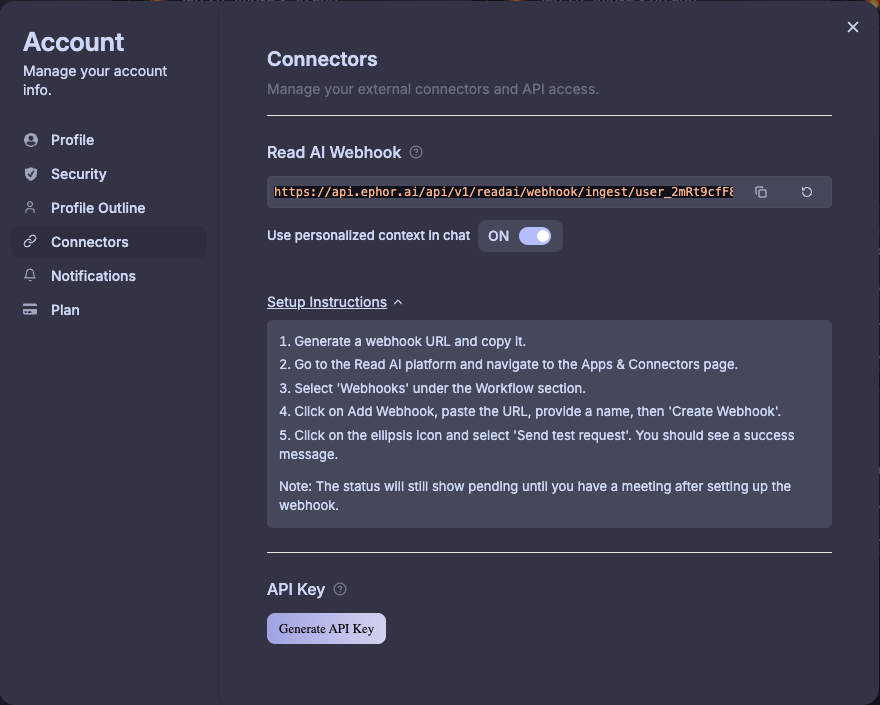
Manage API keys and Read.AI style integrations used by your account.- Personal API Key — create/rotate/revoke your personal API key.
- Read integration — connect/disconnect your Read.ai integration.
Treat API keys like passwords. Rotate regularly and delete unused keys.
Plan
Manage your subscription.- Current plan — limits and entitlements.
- Upgrade / Downgrade — change tier.
- Billing — payment method and invoices.
If you’re part of an org, some plan changes may be admin-controlled.