

What are Connectors?
Connectors are MCP Servers that let you bring outside tools, data, and services directly into Ephor.
They extend what your projects can do by giving AI access to fresh, relevant information — whether from your calendar, documents, or specialized APIs.
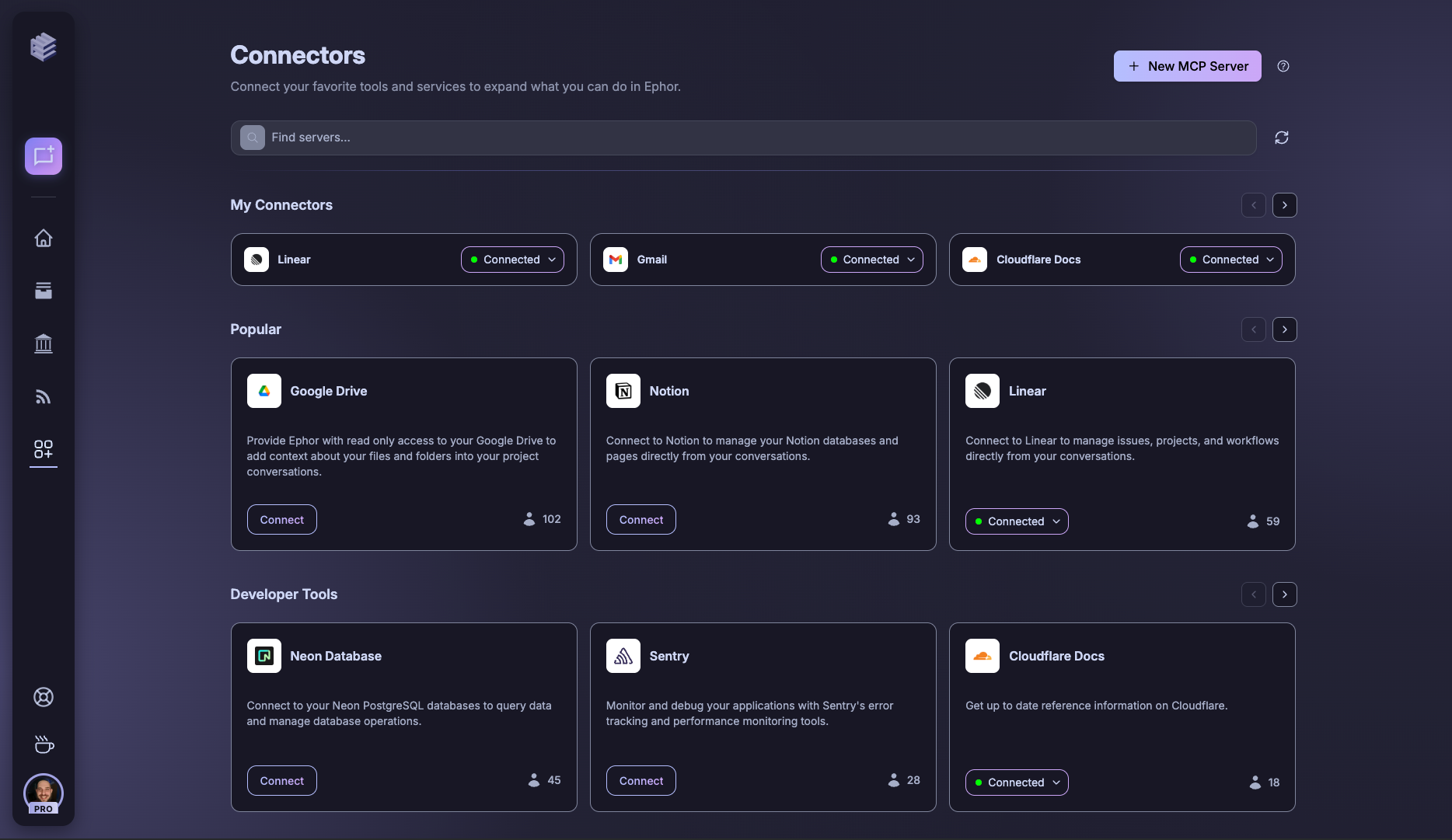
1) Top Bar (Search & Help)
At the top, you’ll find quick controls:- Search Bar – type to find specific connectors or MCP servers.
- Help (?) – opens guidance on how connectors and MCP servers work.
- New MCP Server – manually add a server not yet listed.
MCP (Model Context Protocol) servers allow you to bring in custom data sources or services into Ephor.
2) My Connectors
This section lists connectors you’ve already integrated:- Status Indicator – shows whether a connector is active.
- Connection Controls – manage authentication or disconnect when needed.
3) Popular Connectors
Shows the top 10 most-used MCP servers across the Ephor community:- Each card includes a description of the connector.
- Usage Count (👤) in the lower corner shows how many teams are actively using it.
- Connect directly with one click.
Popular connectors are a great starting point — they’re widely used and tested by the community.
4) Custom Connectors
Add or manage bespoke integrations built for your organization:- Custom-built connectors show up here (e.g., Cloudflare Docs).
- Each connector includes status indicators and setup instructions.
5) Pre-Configured Connectors
Ephor comes with a growing library of pre-configured integrations:- Developer Tools – e.g., Alphavantage, Neon, Sentry.
- Google Workspace – Gmail, Calendar, Chat.
- Others as available from third-party services.