

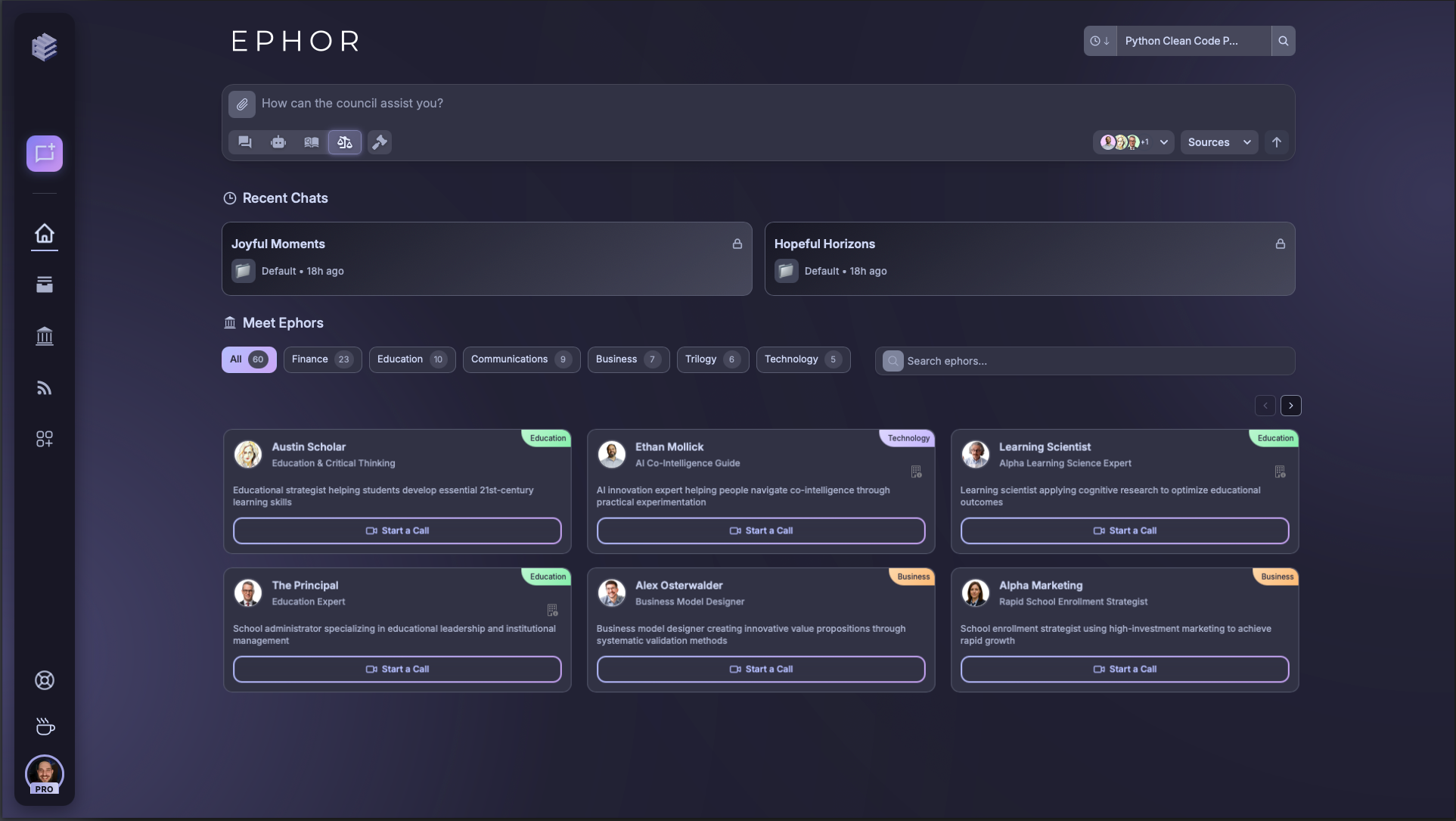
Global Navigation Bar
The vertical sidebar gives you one-click access to the core areas of Ephor:- Home – Return to your dashboard.
- Projects – Browse and create projects.
- Agora - Discover and engage with personified experts.
- Connectors (MCPs) – Integrate external services like Gmail or Calendar.
- Support - Raise support requests.
- Theme Toggle - Switch between various themes to customize your experience.
- Account Settings – Manage account preferences.
Hover over icons in the global nav to reveal tooltips and speed up navigation.
Quick Chat Bar

- Perfect for quickly starting new threads.
- Supports selecting which model or expert to route to.
Project Selector

- Each project carries its own library context, BrainLift, and history.
- Shared projects make collaboration seamless.
- Private projects keep your work separate and secure.
Use descriptive project names so they’re easy to identify in the selector.
Ephor Quick Select (Agora)

- Filter by category (Education, Technology, Finance, etc.).
- Access perspectives that complement your BrainLifts.
- Start debates or calls with selected experts directly.
Use filters to quickly locate Ephors by expertise domain before adding them.
Recent Chats

- Resume work instantly from your last session.
- Both private and shared chats are listed clearly.
- Dates and project tags help you track context.