

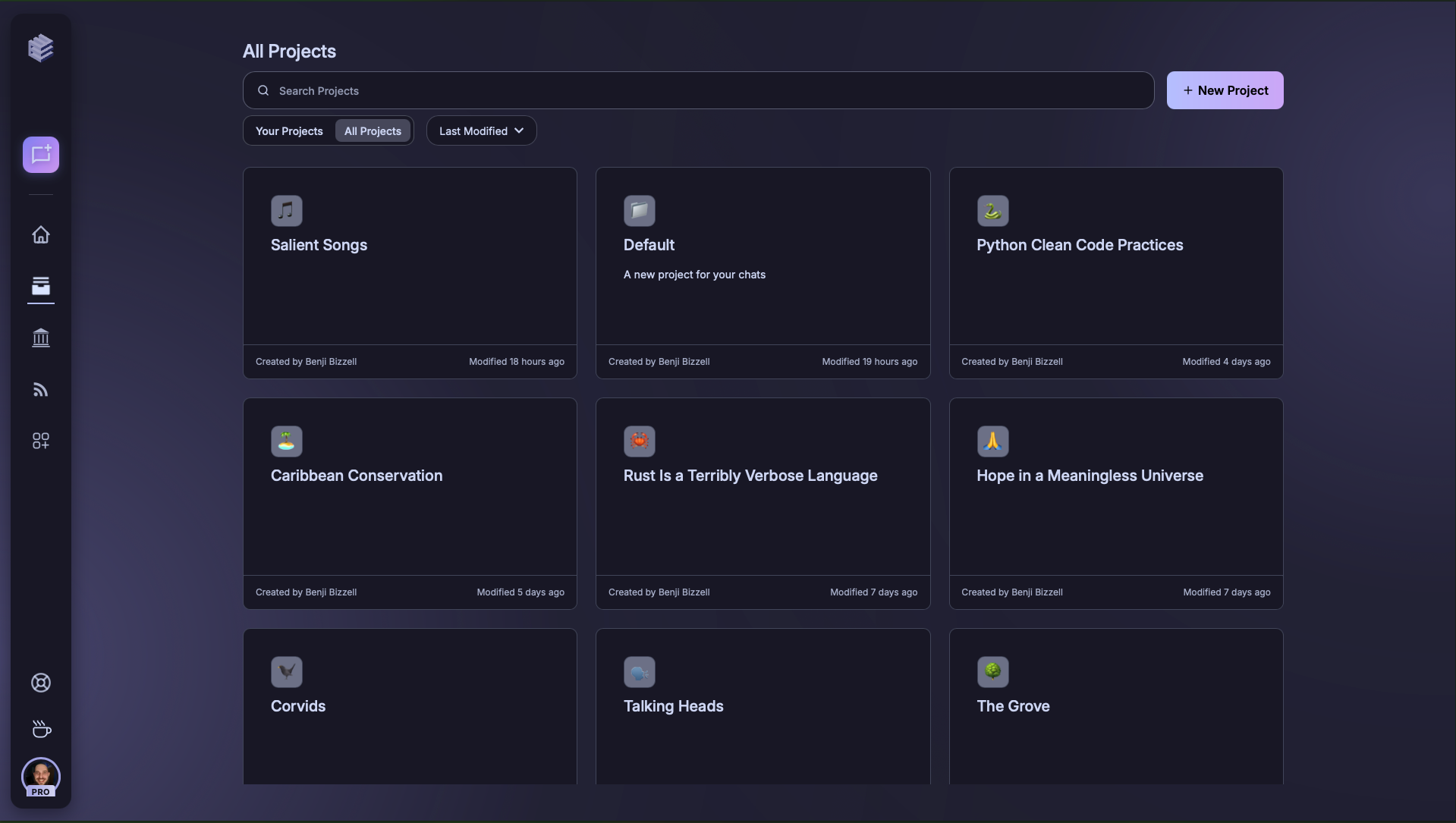
1) Projects Page Search & Filters

- Search – type to find projects by name (and commonly used keywords).
- Scope Tabs – switch between Your Projects and All Projects.
- Sort Menu – reorder by Last Modified (default) or other criteria.
- New Project – create a project from scratch (top-right).
Sort by Last Modified to quickly find the projects you’ve been working on most recently.
2) Project Card Anatomy
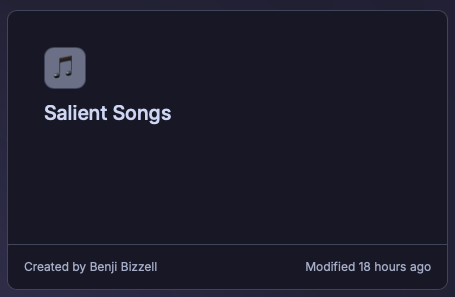
- Project Title & Description – short, descriptive summary of purpose.
- Owner – who created the project.
- Last Modified – timestamp of most recent activity.
3) Project Configuration Options
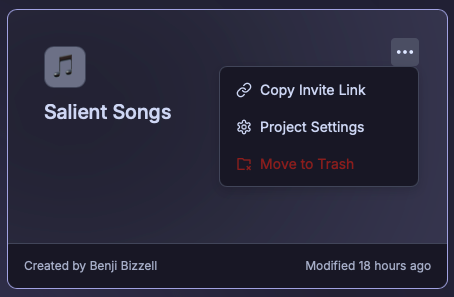
- Copy Invite Link – share project access with teammates.
- Project Settings – rename, manage members, configure project-level instructions.
- Move to Trash – archive or remove projects from your active list.
Use Project Settings to add custom instructions — this ensures consistency across team prompts.